Watching your credit balance fall can feel uncomfortable, especially during your first few weeks with an AI agent. But credits moving is not proof that you are using Zero incorrectly. It usually means Zero is doing real work.
Here is what that work looks like on an ordinary Tuesday. Before you log off, you ask for a read on a competitor. Overnight, Zero opens their pricing page, notices a tier changed, checks whether that is genuinely new or a rewording of something from last month, pulls the related thread out of your inbox for context, decides the change is worth flagging, writes it up in four sentences, and posts it to the channel your team reads first thing. Nobody supervised any of it. In the morning the answer is simply there.
That sequence is why the meter moved. Every step in it was a judgment call: which page to read, whether the difference mattered, what to leave out, where to send it. Judgment is what you are paying for, and it is also the reason the output was worth reading.
So the more useful question is not why the work cost something. It is whether the work used the right amount of intelligence, context, and tooling for what it produced.
That distinction matters because an AI agent is not another $20 software seat. A tool waits for you to open it and does exactly what you click. An AI assistant that runs agentic workflows researches, drafts, monitors, follows up, and moves between email, Slack, documents, and hundreds of connected services on a schedule you set once. The useful comparison is not "What does another app cost?" It is "How much time would this take a teammate or an outside specialist?"
A $20 subscription prices access to software. It cannot price a day of someone's output. Judged as a tool, every credit looks expensive; judged as a colleague's afternoon, most of them look cheap. It is also why choosing the best AI assistant on monthly seat price measures the wrong thing: seat price tells you what access costs, not what gets finished.
Once you change that reference point, AI automation cost becomes a budget you can design instead of a meter you watch. The goal is not to use Zero less. It is to reserve expensive reasoning for the moments where it changes the outcome. That is what AI cost optimization means for an agent, and it is the practical way to reduce AI agent costs without cutting back on what the agent does for you. It is also why the cost of AI agents resists a single sticker number: what you spend is an output of four decisions you control, not a plan you pick once.
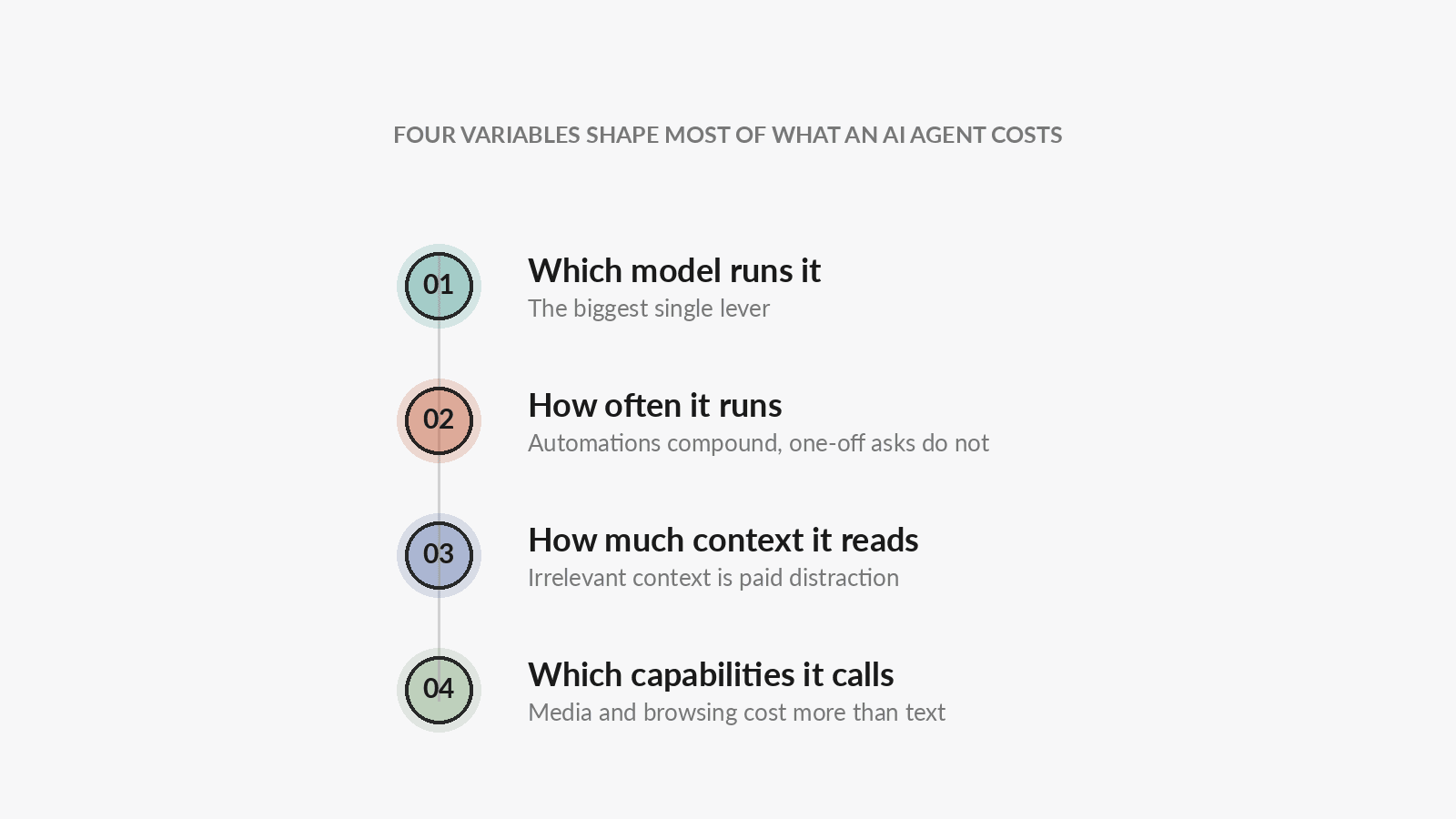
Four variables shape most of that cost:
- Which model runs the task.
- How often the task runs.
- How much context the model must read and interpret.
- Which external capabilities the task uses.
The first one is usually the biggest lever.
1. Match the model cost to the job
Many AI products choose one model for you. That makes the experience simple, but it also makes every task inherit the same cost profile.
Zero is model-neutral. You can route different work to different models and providers, including supported subscriptions and your own API keys. That means model selection becomes an operating decision, not a product constraint.
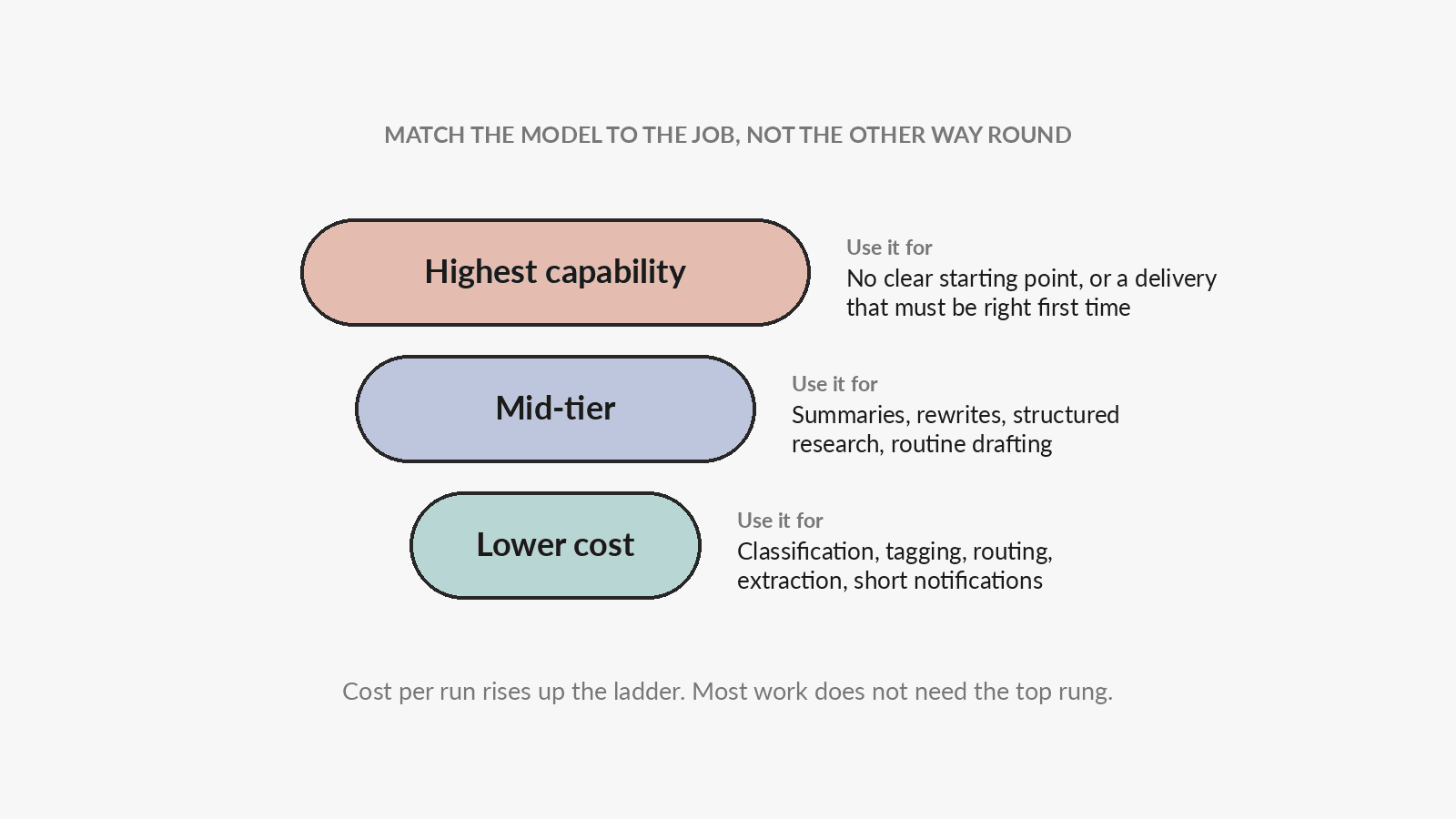
The principle is simple: not every task needs the smartest available model.
There are two situations where the strongest available model is usually worth the money:
- You do not yet know the answer or even the approach. You need the model to explore, challenge assumptions, and co-create with you.
- The delivery needs to be especially reliable. The output is important enough that extra reasoning and validation can prevent costly rework.
For high-frequency work with simple judgment, use the lowest-cost model your workspace allows. For the large middle of everyday professional work, use a mid-tier model: more capable than the lightest option, and materially cheaper than running everything on the strongest one.
| Type of work | Model tier | Examples |
|---|---|---|
| No clear starting point, or a high-stakes delivery that must be stable | Highest capability | Co-creating a strategy, designing a complex plan, reviewing a consequential deliverable |
| Everyday work with moderate judgment | Mid-tier | Summaries, rewrites, structured research, routine email drafts |
| High-volume work with simple rules | Lower cost | Classification, tagging, routing, field extraction, short notifications |
Which models you can actually choose from
Zero does not run a single house model. Open the model picker next to the chat input and you will see what your workspace is cleared to use, drawn from two families: OpenAI's GPT series and Anthropic's Claude Opus series. Each entry shows how it is routed and, where it applies, its relative cost tier.
Model availability is a workspace setting rather than a fixed product list, so your picker may be shorter or longer than a colleague's. Check it before assuming a model is unavailable, and see the models Zero supports for the current lineup.
The two families matter more than the individual names. LLM token pricing differs sharply between providers, and the same task can cost several times more on one than on another. Most LLM cost optimization advice stops at shortening prompts; the widest lever you have to reduce LLM costs is routing the work to the right model in the first place. Because Zero lets you choose, that spread becomes a lever you control rather than a rate you accept.
Bring your own provider when it fits
If your team already pays for a supported provider, you can connect that account and route a model through it. Inference then appears on your own provider bill under your existing terms instead of being charged as Zero inference credits.
That does not make the whole run free. Tool calls, connector usage, storage, and media generation still consume Zero credits. What you gain is control: you decide the provider relationship and the model for each kind of work.
Switching costs one click. Open the model picker beside the chat input, choose the model, and the rest of that conversation runs on it.
2. Design automation triggers before optimizing prompts
What are agentic workflows, and where does the cost sit?
An agentic workflow is a job you describe once and an agent then carries out end to end, deciding for itself which steps and tools the job needs. In Zero that splits into two concepts worth keeping separate:
- A workflow is a reusable procedure or skill. It runs when someone calls it.
- An automation combines a trigger, a workflow, and an agent so the work can run repeatedly without someone asking each time.
A one-off request incurs cost once. An automation incurs cost every time it runs. That makes automation design the main source of compounding savings. If you want to see the shapes these take in practice, our workflow automation examples show how to build an AI agent for a recurring job rather than re-asking for it by hand.
Treat this as your AI cost calculator. A useful approximation is:
monthly automation cost = number of runs × average cost per run
You can reduce either side of that equation, and the two sides behave differently: run volume is a scheduling decision you make once, while cost per run is a model decision you can revisit any time.
Set frequency from the real business need
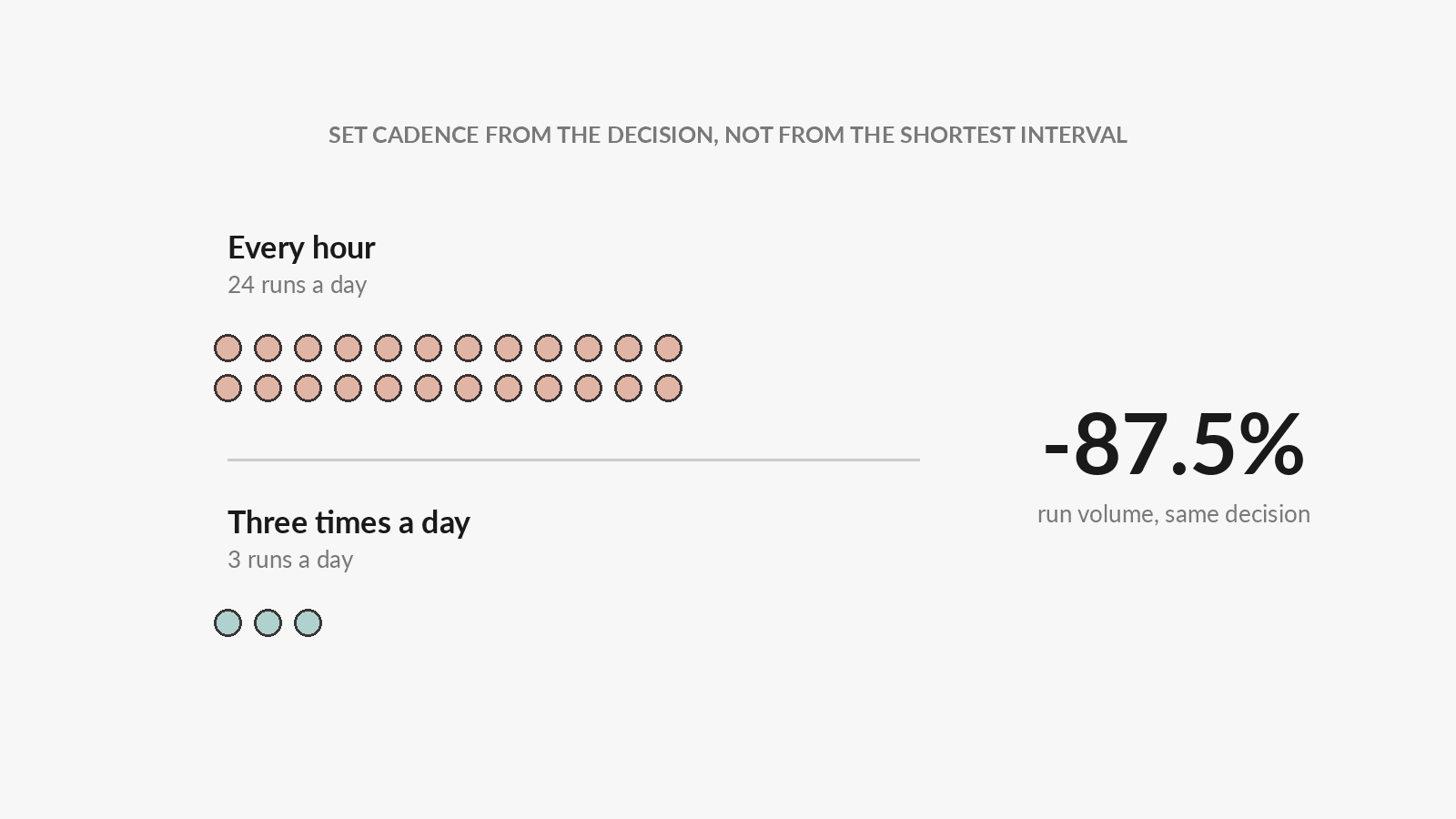
An automation that runs every hour executes 24 times per day. If the decision only needs three updates per day, changing the schedule reduces run volume by 87.5%.
Ask one question before choosing a cadence: how quickly would someone act on a new result?
Competitor monitoring, registration summaries, and content checks often do not need to run in real time. Match the schedule to the speed of the decision, not to the shortest interval the product allows.
Prefer event triggers to empty polling
A schedule wakes the automation whether or not anything changed. An event trigger starts it only when there is something to process, such as:
- A new email arriving.
- A GitHub label being applied.
- A calendar event changing.
- A form submission or webhook being received.
If the source can emit an event, use it. You avoid paying an agent to repeatedly discover that there is no new work.
Set the model where the automation lives
Most automation runs are repetitive and bounded. They extract, compare, classify, summarize, or notify. The strongest model can perform those jobs, but its higher cost repeats every time the trigger fires.
An automation runs in the conversation you created it in, and that conversation keeps the model you chose in the composer. So whichever model you happened to be on when you set the automation up is the model every later run uses, whether or not you are watching. Choose it deliberately at that moment. If an automation has been running on your most capable model to classify a few items and post a Slack message, switch the model on that thread and every subsequent run follows.
This also makes model choice personal rather than global. Two people can run the same workflow at different costs, because each one carries the model set in their own composer.
This is a cost-control layer that is easy to overlook when comparing AI automation cost with what a no-code automation platform charges, such as Zapier pricing or n8n pricing. Those platforms primarily expose task or execution volume. With an AI agent, you also control the intelligence used inside each execution.
The more often a task runs, the more carefully you should choose the model behind it.
3. Reduce context and remove accidental ambiguity
Model choice and run frequency are visible. AI token cost is easier to miss, because context is billed quietly on every turn rather than announced once.
Every extra page, message, file, and earlier turn gives the model more material to read and more paths to consider. Some context is essential. Irrelevant context is just paid distraction.
The goal is not to make every prompt short. It is to make every input relevant.
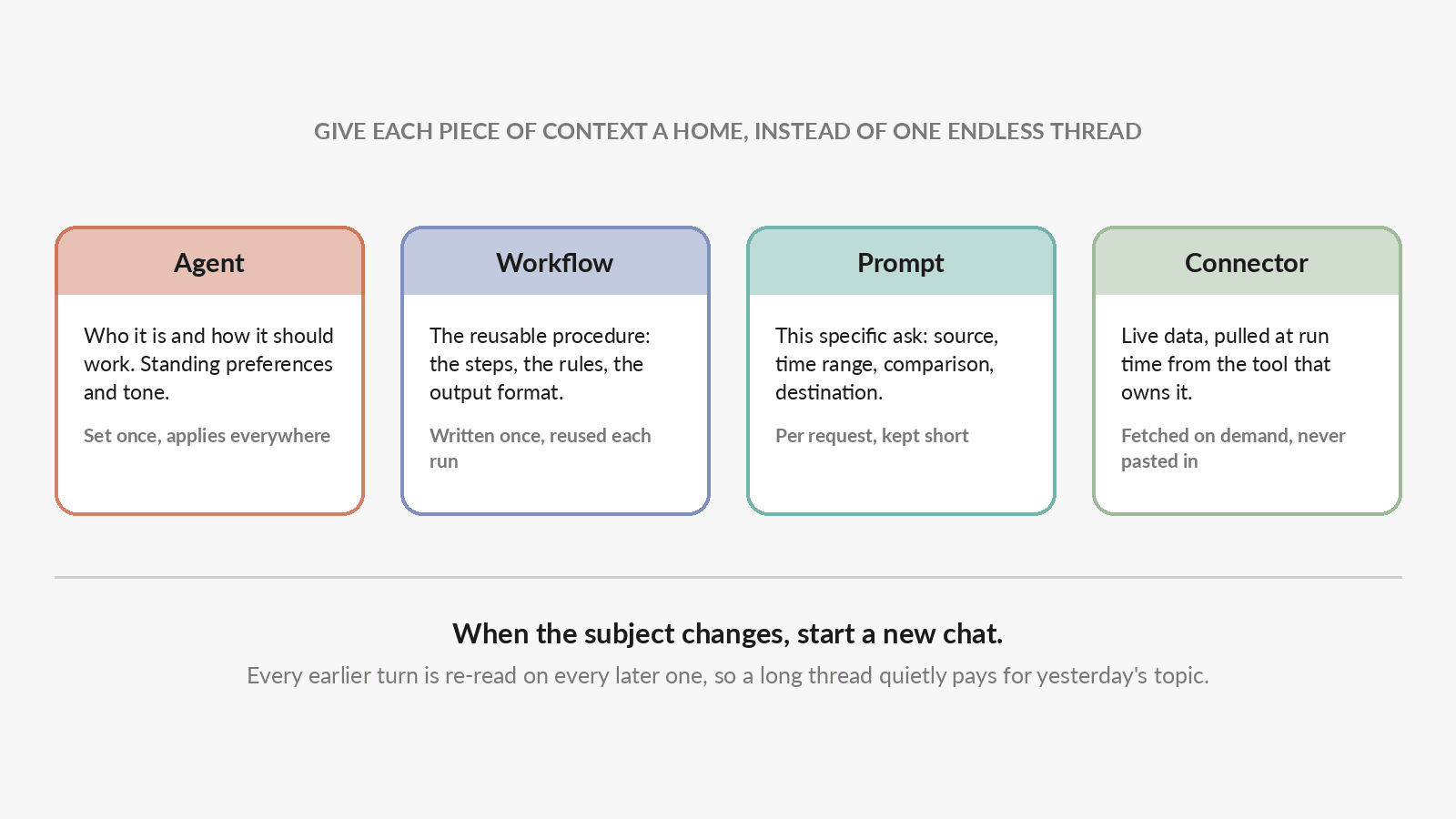
Start a new conversation for unrelated work
Long conversations carry their history forward. If a new request has nothing to do with the old task, start a new thread so the model does not have to separate useful context from yesterday's discussion.
Keep the same thread when continuity helps. Start fresh when the subject, outcome, or source material changes.
Specify scope, rules, and output
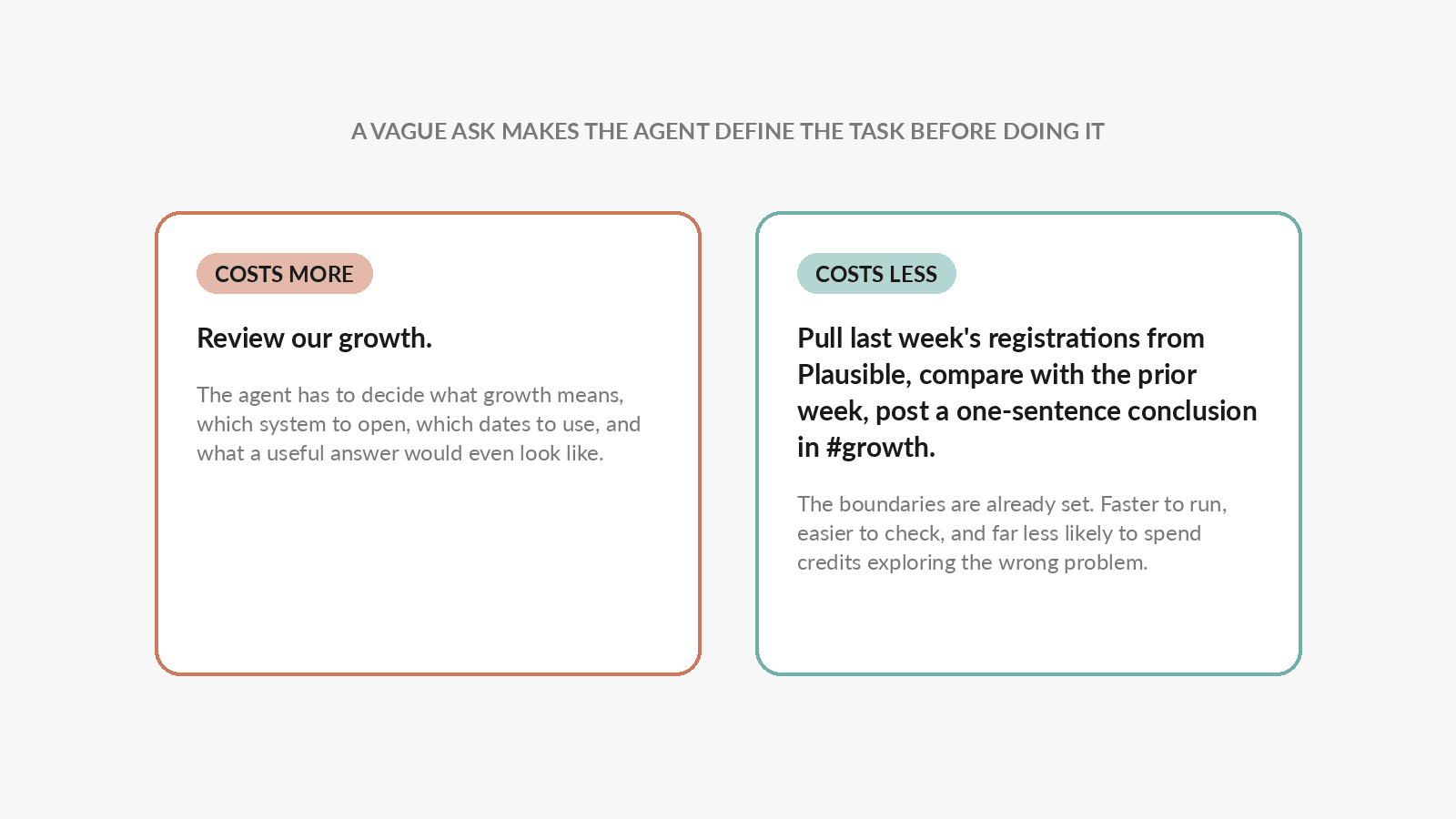
A vague request forces the agent to define the task before it can perform it. A clear prompt gives it a direct route to execution.
For recurring work, specify:
- The tool or data source.
- The time range.
- The rule or comparison to apply.
- The output format and destination.
Compare these two prompts:
Review our growth.
The agent first has to decide what "growth" means, which system to inspect, which date range to use, and what kind of answer would be useful.
Pull last week's registrations from Plausible, compare them with the previous week, and post a one-sentence conclusion in #growth.
The second prompt has boundaries. It is faster to execute, easier to verify, and less likely to spend credits exploring the wrong problem.
Break open-ended work into bounded stages
Open-ended exploration is not always waste. When you genuinely need a thinking partner, use a strong model and let it explore. That is one of the two scenarios from Part 1 that earn it.
The waste happens when a routine task is accidentally open-ended.
Instead of asking one agent to "improve our go-to-market strategy," split the work:
- Pull customer objections from the last 30 sales calls.
- Group them into five recurring themes.
- Compare those themes with the current landing page.
- Ask a stronger model to recommend the three highest-impact messaging changes.
The first three stages are bounded and repeatable. Only the final judgment needs the expensive model.
4. Use the lightest capability that can finish the job
Models are only one part of an agent run. Search, browser interaction, scraping, file processing, and media generation have different cost profiles too.
The same rule applies: use the lightest capability that can reliably produce the result.
Do not use generative media for ordinary charts
Image, video, and voice generation cost more than plain text or code. If the task is a bar chart, line chart, or simple data visualization, generate it directly from the data. Use an image model when the output genuinely needs art direction or a designed visual.
Give Zero a known URL
If you already know the source page, include the URL. Do not make the agent search the web to rediscover it.
For a public page with static content, a direct fetch or scrape is usually enough. Use a full browser when the page requires authentication, JavaScript interaction, screenshots, or stateful navigation.
Spend credits on the work, not on finding the door to the work.
Make AI agent costs visible and manageable
AI spend management starts with visibility: cost optimization gets much easier once you can see where credits actually go.
Open Settings, then Credit balance, under Billing and pricing. It shows what you have left, and breaks recent spend down chat by chat, split by what actually consumed it: LLM models, image models, video models, connectors, and everything else. Switch between My usage and Team usage, and change the date range, to see whether the spend is yours or the team's and whether it is rising.
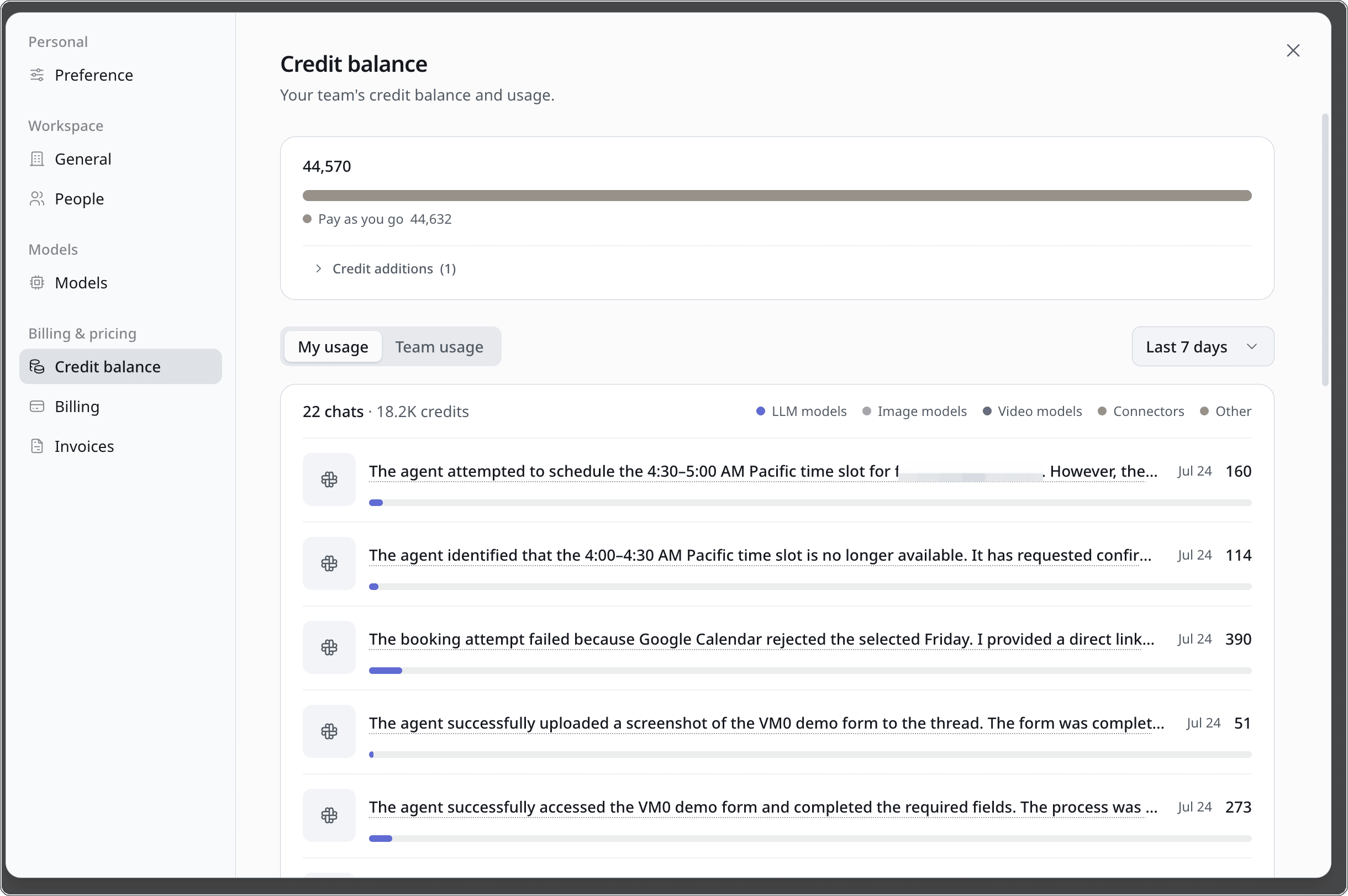
That is where you find the automation quietly spending more than it returns: sort by the largest rows and read what the agent was actually doing. Billing and Invoices sit in the same menu when you need to top up, change plan, or turn on auto-recharge so a long-running automation is not interrupted.
Then review the highest-cost workflows first. Look for four common patterns:
- A high-capability model attached to simple repeated work.
- A polling schedule that could be replaced by an event.
- A cadence faster than the business can act on.
- A broad prompt that repeatedly triggers unnecessary research.
You can ask Zero to review those workflows with you. A practical first prompt is:
Review my three highest-cost automations. For each one, identify whether I can reduce model cost, run frequency, context, or tool use without reducing the value of the output.
Two or three months of that view is also the input for real AI budget planning, because you are forecasting from what your automations actually consumed rather than from a headline price. This is not about squeezing every run down to the cheapest possible configuration. Cheap work that fails is expensive. The goal is to buy exactly as much intelligence and infrastructure as the outcome requires.
Build the system once, then let it run quietly
The most economical use of an AI agent is not asking it to repeat the same improvised task forever. It is using the agent to help design a reliable system, then letting that system run with minimal intervention.
That is the cost philosophy behind Zero:
- Use the strongest model when you need co-creation or unusually stable delivery.
- Use a mid-tier model for everyday professional work.
- Use lower-cost models for predictable, high-volume steps.
- Trigger automations only when work exists.
- Keep context relevant and capabilities proportional to the task.
Which model to reach for
The tiers above map onto real entries in your model picker. A workspace can allow more or fewer, but the shape is the same:
| What the job needs | Model in Zero | Reach for it when |
|---|---|---|
| Deepest reasoning | Claude Opus 5 | You do not yet know the approach, or the deliverable has to be right the first time |
| The everyday default | GPT 5.6 Sol | Summaries, rewrites, structured research, routine drafting, most conversational work |
| Lowest cost per run | GPT 5.6 Luna | Classification, tagging, routing, field extraction, short notifications, most scheduled automations |
Our recommendation, if you change one thing this week: leave your interactive chats where they are and move your busiest automation down a tier. Recurring work is where a model choice repeats, so it is where a single change compounds. Start it on the lowest tier that still holds quality, and reserve the top row for the conversations where you are genuinely thinking something through.
Do that well and "reduce AI agent costs" stops meaning "use AI less." It means letting your AI teammate spend its time, context, and intelligence where they create the most value. It is also the fairest way to compare the top AI agent platforms against each other and against traditional business process automation software: not by sticker price, but by what a unit of spend actually finishes.
Frequently asked questions
Why do my credits move when I am not using Zero?
Because automations run on their trigger, not on your attention. A schedule that fires hourly bills 24 times a day whether or not anything changed. Open the Usage view, sort by schedule, and check that each cadence still matches how quickly someone would act on the result.
How much should an AI agent cost per month?
There is no single right number, and comparing it with a $20 software seat will mislead you. The useful benchmark is the work it replaces: an afternoon of a teammate's time, or an outside specialist's invoice. If a workflow costs less than the hours it removes, it is priced correctly, however large the credit line looks.
Which model should I use for a recurring automation?
Start on the lowest tier that holds quality, usually GPT 5.6 Luna for classification, routing, extraction, and notifications. Escalate only the one step that genuinely needs deeper reasoning. Because the run inherits the model set in the conversation it lives in, changing it there changes every future run.
Is an AI agent more expensive than a no-code automation platform?
Priced per task, often yes. Zapier and n8n bill for executions; an agent also pays for the intelligence inside each execution. The comparison that matters is per finished outcome, since a traditional automation moves data between apps while an agent reads it, decides, drafts, and follows up.
Is Zero an AI agent builder?
In practice, yes. You describe a job in plain language, Zero turns it into a reusable workflow, and adding a trigger turns that workflow into an automation that runs on its own. There is no canvas of nodes to wire up, which is also why cost control here is about model, cadence, context, and capability rather than about step count.
What actually drives AI agent pricing?
Four things, in roughly this order: the model behind the task, how often the task runs, how much context it re-reads, and which capabilities it calls. Published AI agent costs are an average of those four decisions across a workspace, which is why two teams on the same plan can spend very differently.
How do I work out the ROI of an AI agent?
Compare it with the hours it removes, not with a software seat. Take one automation, read its credit spend in the Usage view, and set that against the time someone would have spent doing the same work by hand. AI agent ROI is usually obvious at the level of a single recurring workflow, and much harder to see when you only look at a monthly total.
Does a long conversation cost more than a short one?
Yes. Every earlier turn is re-read on each new turn, so a long thread keeps paying for context it no longer needs. Keep one thread while the subject holds, and start a new chat when the subject changes.
Can I use my own provider account instead of Zero credits?
Yes. Connect a supported provider and route a model through it, and inference lands on your own bill under your existing terms. Tool calls, connector usage, storage, and media generation still draw on Zero credits.
Open Zero and ask it to review the three automations you use most. That is the fastest place to find your first compounding cost improvement.